
Using Accordions Effectively on Webpages
Accordions are expandable sections of a webpage that show and hide content. They can be a useful tool for organizing information when used thoughtfully. They can help reduce clutter and make pages easier to navigate. But when overused or applied incorrectly, they can hide important information and create barriers for users.
The guidance below outlines how to use accordions in your content effectively.
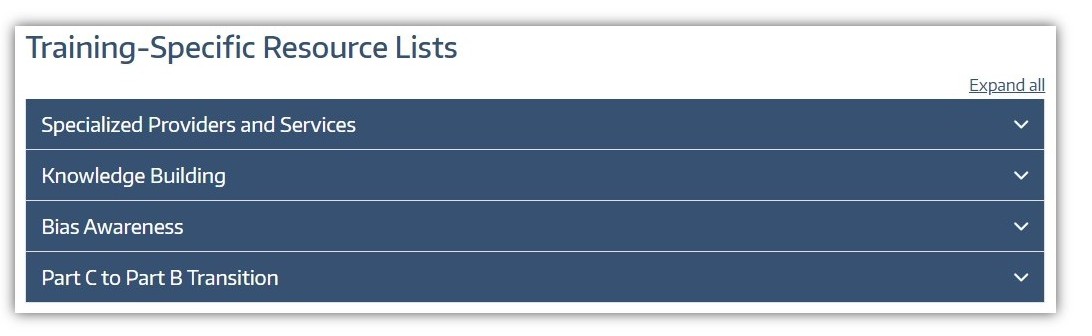
Prioritize what matters most
Place the most important sections at the top of the accordion list. This ensures key information is easy to find. When appropriate, include a short introductory paragraph before the first accordion that highlights essential details or provides context. This helps users understand the page without needing to open multiple sections.
Write clear, descriptive headings to support quick scanning
Users often skim before they commit to reading, so accordion headings should function like mini headlines. They should be easy to scan and use specific, descriptive language that clearly describes what users will find inside.
Avoid vague labels such as “More Information” or “Details.” Keep heading styles consistent in tone and format so users can quickly understand how the content is organized.
Use accordions to simplify, not obscure
Accordions work best for long pages with optional or supporting information, such as frequently asked questions. They allow you to group related content that users may not need all at once, reducing the need for excessive scrolling.
However, avoid using accordions to hide critical information that users must see to complete a task. If something is essential, it should be visible without requiring extra clicks.
Keep content focused and readable
Each accordion section should contain concise, digestible content. Avoid large blocks of text. Use bullet points, short paragraphs, and clear formatting to make information easier to read once expanded. It’s generally bad practice to place an accordion within another accordion.
Don’t hide key actions
Important actions—such as “Apply Now” or “Contact Us”—should not be buried inside accordions unless there is a strong, intentional reason. If an action must be placed within an accordion, clearly guide users to that section so it is not overlooked.
Consider search and findability
Content hidden within collapsed sections can be missed by users who are scanning the page. Additionally, browser search functions (such as Ctrl+F) may not consistently find content inside closed accordions. Keep this in mind when deciding what information to hide and what to display openly.
Used well, accordions can improve the usability of your webpages by organizing content and reducing visual clutter. The key is to be intentional. Prioritize important information, write clear headings, and ensure users can find what they need quickly and easily.
Use accordions sparingly
Too many accordions can make a page feel overwhelming and harder to scan. If most or all of your content is hidden behind expandable sections, users may miss important information altogether. Before adding accordions, consider whether the content could be presented more clearly in an open format.